Skip to content
PantheusSpaceSynthesisReverb

Shaping

Shape the space while the song plays.

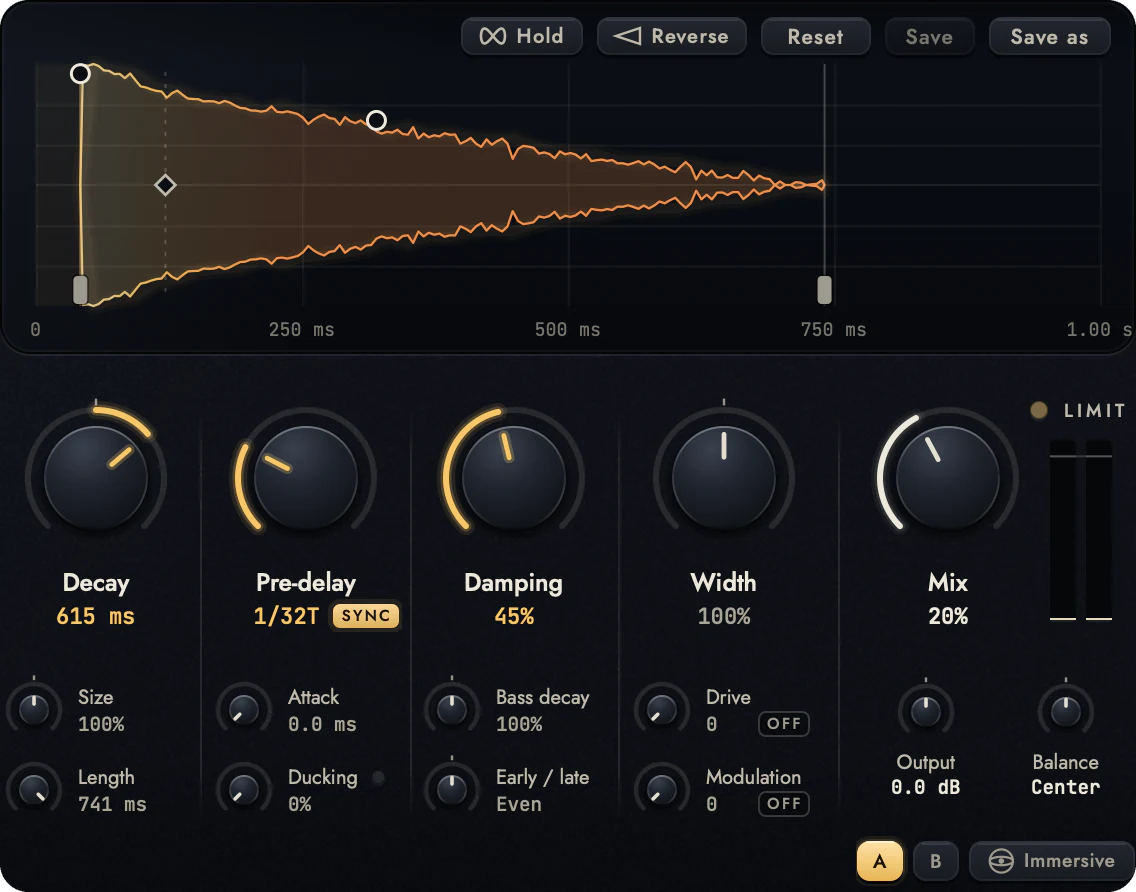
Finding the space is half the job. The deck under the list fits it to the mix. A picture of the reverb redraws as you work.

The Pantheus deck. A picture of the reverb's decay is drawn in gold above four large dials for Decay, Pre-delay, Damping and Width, with eight small dials under them and the Mix dial at the right. Decay, Pre-delay and Damping have been turned and are lit in gold.

The dials

Four dials do most of the work.

The controls you use most are the largest. The finer ones sit under them. A dial stays dark until you turn it, then lights gold from where it started. One look tells what has been changed.

  • Decay

    Decay sets how long the space rings, in seconds. Size makes the space itself larger or smaller. Length cuts the tail off early.

  • Pre-delay

    Pre-delay holds the reverb back for a moment to keep a vocal clear. It follows the tempo of the song as a note value, or reads in milliseconds. The SYNC key beside it switches between the two. Attack softens the start of the reverb. Ducking lowers the reverb while the part plays.

  • Damping

    Damping darkens the tail the way soft walls do. Bass decay makes the low end ring longer or shorter than the rest. Early / late balances the first reflections against the tail.

  • Width

    Width narrows the reverb toward mono or spreads it wider than it was made. Drive adds saturation. Modulation adds slow movement to the tail. Each of the two has its own on and off key.

The picture is a control

The picture above the dials shows how the reverb dies away, with a time scale under it. It has handles of its own. Drag one and its dial turns too.

Mix, Output and Balance

Mix sets how much reverb you hear beside the dry sound. Full wet, on Shift-W, switches the dry sound off for use on a send. Balance moves the reverb left or right.

Hold

Keep the reverb for as long as you like.

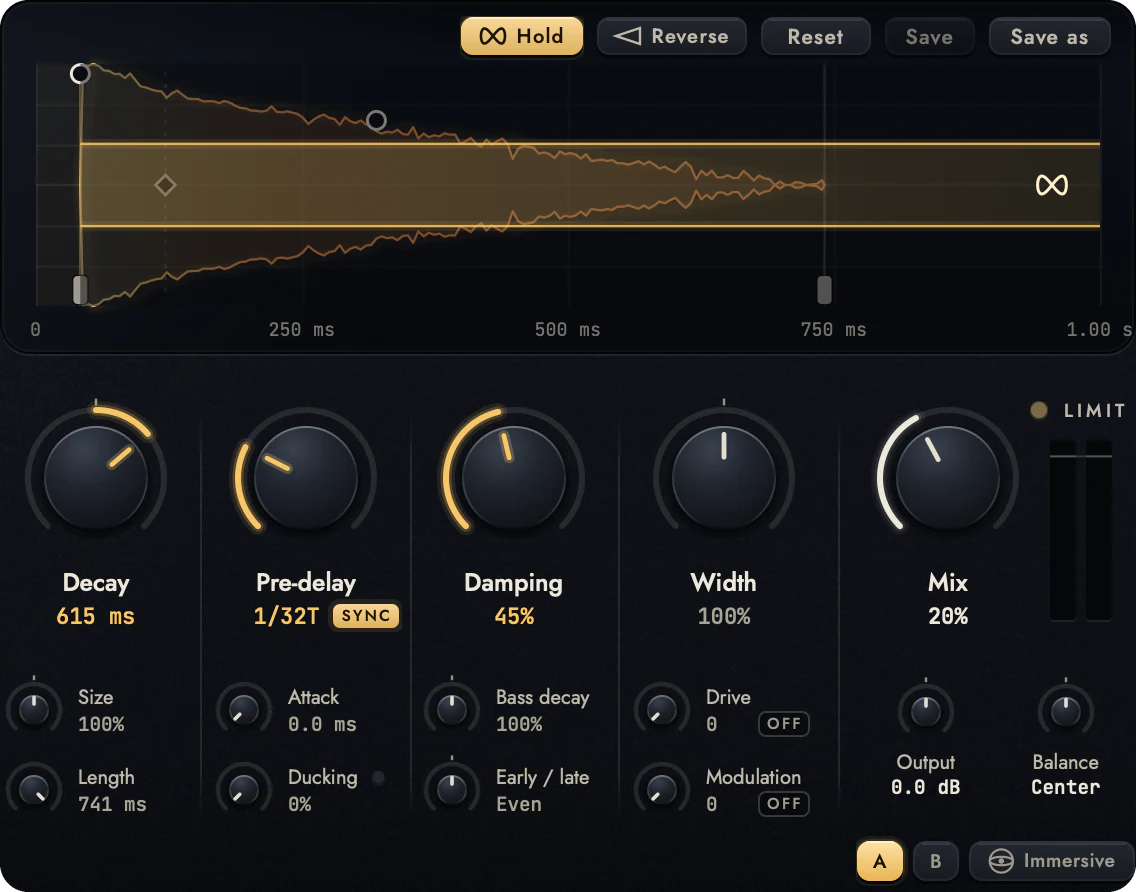
Hold freezes the reverb that is sounding right now. The part plays on over it, dry, for as long as Hold is lit.

Turn Hold off and the reverb dies away at its own pace. It works on every space in the library. Any of them can become a pad, a drone or a long transition.

The deck with the Hold key lit above the picture of the reverb. The reverb is drawn as a steady band that does not die away.

Reverse

Turn the tail around.

Reverse plays the space backward. The reverb rises where it used to fall. Shorten it with Length to make a swell into a word or a snare hit.

Reverse sits beside Hold on the picture. The picture turns around with it.

The deck with the Hold and Reverse keys above the picture of the reverb, beside Reset, Save and Save as.

Reverb EQ

An EQ that touches only the reverb.

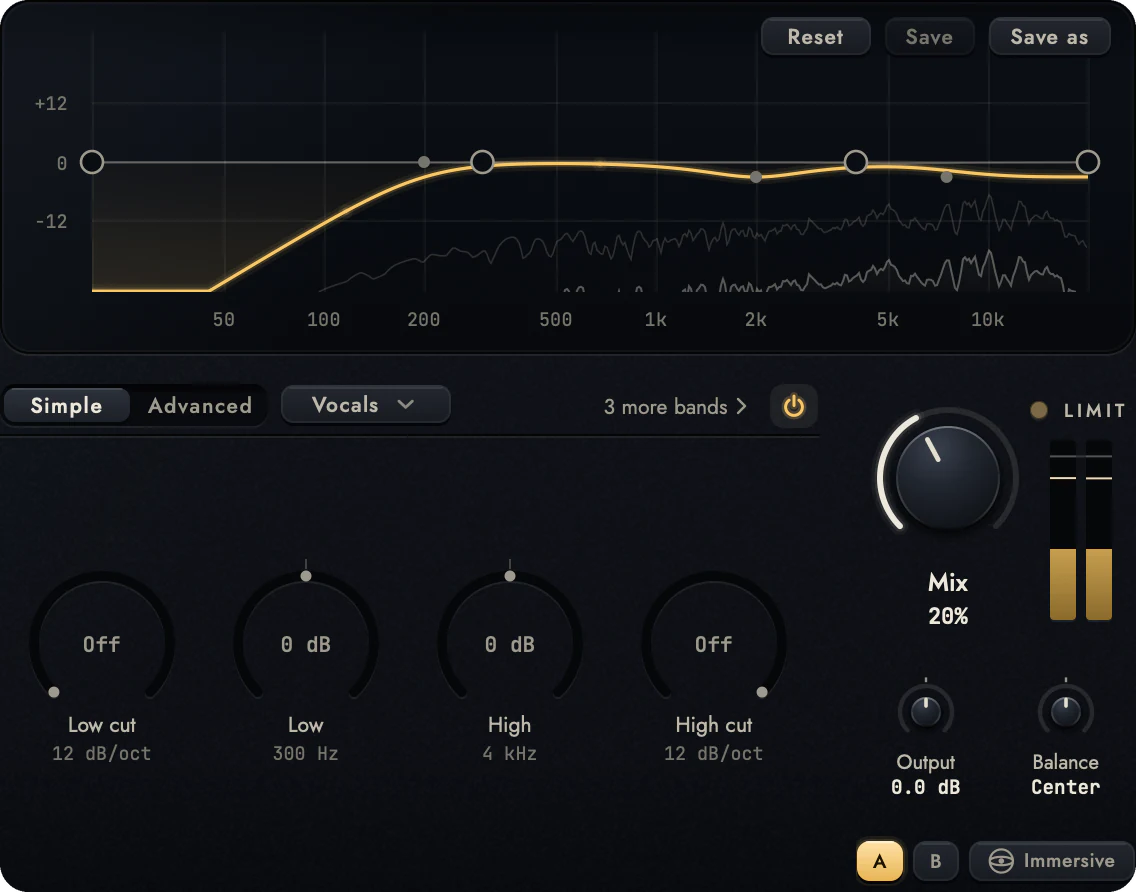
The Reverb EQ works on the reverb and not on the dry sound. The simple view has four dials: low cut, lows, highs, high cut. In the full view you place the bands yourself, over a display of the reverb's own spectrum.

Twenty presets come with it. Some clean up the low end. Some keep the reverb out of a vocal's way. Others are made for one kind of part: drums, bass, guitar, piano. Your own presets are saved beside them.

The input filter has a page of its own, in front of the reverb's. Its HP and LP dials take lows and highs out of what goes into the reverb, before the reverb and before Drive. The dry sound is never filtered. The filter stays as you set it from one space to the next.
The Reverb EQ with its Vocals preset on. A gold curve cuts the low end and dips gently in the middle, over a faint drawing of the reverb's spectrum. Below are four dials for Low cut, Low, High and High cut.

Keeping your work

Compare it, save it and use it again.

  • A and B

    Pantheus keeps two versions of the reverb. Switch between A and B while the song plays and keep the better one. Right-click A to copy it to B before you change it.

  • Presets

    Save as stores the space with its dials and its EQ under your own name. Save writes your changes over the preset that is loaded. Your presets have their own place in the finder, with folders, tags and notes. Export them to a file and import them on another computer.

  • Reset

    Reset returns the space to the way MoReVoX made it. One click. Option-click a single dial (Alt-click on Windows) to put only that one back. The undo and redo keys under the map step back and forward through your changes.

  • A limiter at the end

    A limiter on the output catches the loudest moments. Its lamp beside the meters lights when it works.

Ten thousand spaces in one plug-in.

All 10,000 spaces and every feature on this site are included.

Black Friday sale.