Skip to content
PantheusSpaceSynthesisReverb

Ask

Just ask for the reverb you want.

Tell Pantheus what you want in your own words, such as warm vocal plate. It understands, and the matching spaces come up with the best one first.

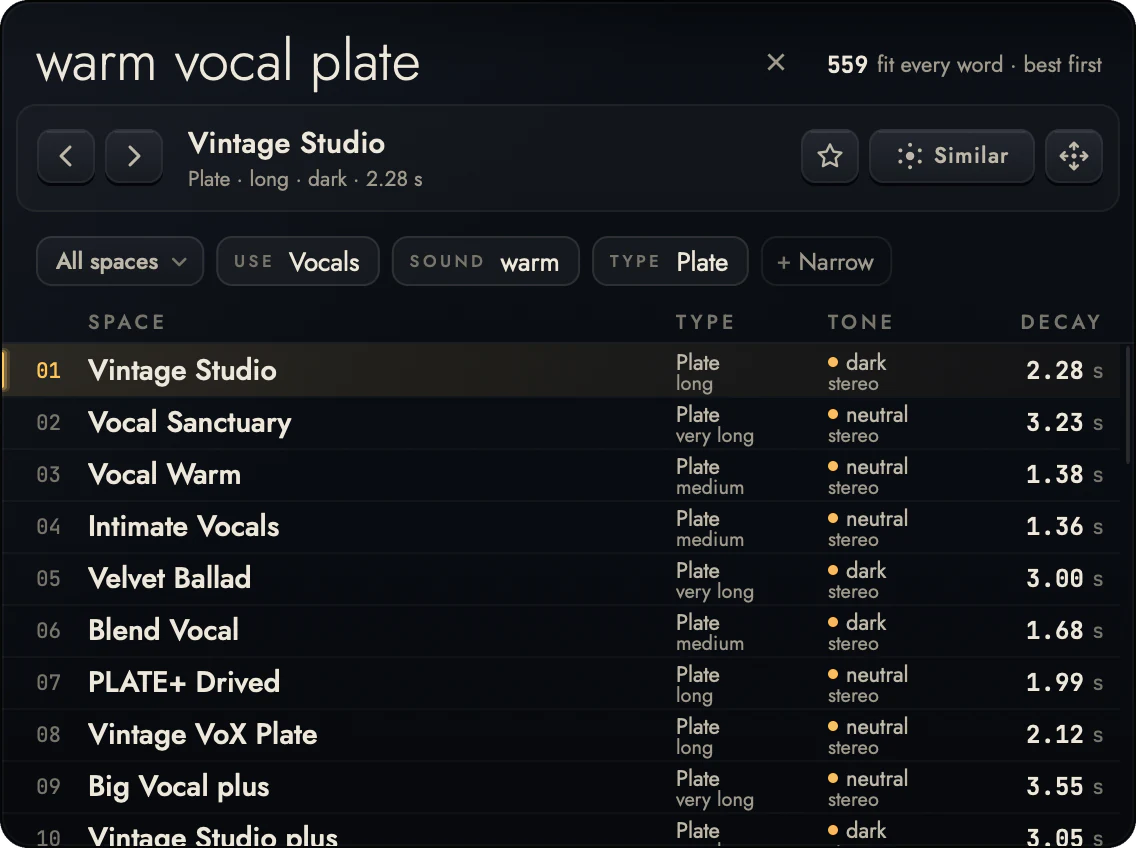
The Pantheus finder after the words warm vocal plate were typed. It answers with 559 spaces. The list starts with Vintage Studio, Vocal Sanctuary and Vocal Warm, each with its type, tone and decay time.

Ask and answer

It understands what you mean.

These are real requests typed into Pantheus, what it understood, and what it answered.

  • warm vocal plate
    VocalswarmPlate

    559 spaces. Vintage Studio comes first, then Vocal Sanctuary and Vocal Warm.

  • huge bright hall for strings
    Strings & OrchestrahugebrightHall

    28 spaces. Glint Concert comes first, then Classical 1 and 80s Synth Strings.

  • bd room
    KickRoombd → kick

    866 spaces. Kick Monster comes first, then Smash Room and Tight DRM 1.

  • brigth hall
    brightHallbrigth → bright

    322 spaces. Bright Hall comes first, then Bright Shot and AirHall.

  • choir in a church
    Vocalschurch

    15 spaces. Church Choir comes first, then Bright Church Choir and Church.

  • dark spring for guitar
    GuitarsdarkSpring

    60 spaces. RingVerb B comes first, then Vintage Sound and SpeedCenter.

Your words

Say it the way you would say it out loud.

There are no menus to learn and no tags to remember. Ask the way you would ask the engineer next to you.

  • Plain words

    A warm plate for a vocal. A tight room for drums. A huge, bright hall for strings. Pantheus understands all three.

  • Studio shorthand

    Write bd, snr, oh or bgv as you would on a track sheet. It knows what you mean.

  • Any order

    Start with the instrument, the sound or the kind of space. The order makes no difference.

  • Typos

    Type fast. A slip of the finger does not throw it off.

AI-free zone

No AI behind the search box.

People see a search box and expect an AI behind it. Pantheus doesn't use AI for its search. MoReVoX built the search by hand. The people who designed the 10,000 spaces also wrote the search that finds them. Since every result is one of those spaces, the search never makes up an answer. It runs inside the plug-in on your computer.

  • It knows the library

    Each space is matched to the instruments it serves best. Ask for a snare reverb and you get spaces made for a snare.

  • No chatbot

    There is no prompt to write and no chatbot to talk to. Type a few words and read the list.

  • The search sends nothing

    The words you type into the search never leave your computer. The search works the same with no internet connection.

Labels

Narrow the list with one click.

Labels under the search field keep the list to a type, a size, a tone or a character, such as gated reverbs or spaces with echoes. Labels combine with the words you typed. Each label has an x to remove it.

The seven type names engraved on the bezel around the map are keys too. Click Plate to keep only the plates, on the map and in the list.
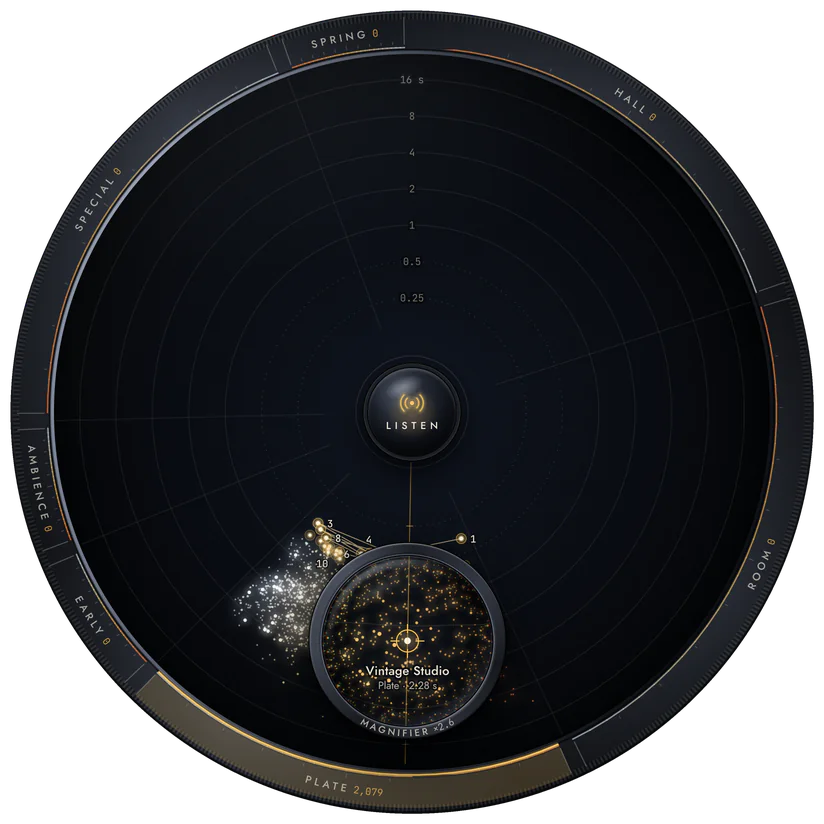
The star map after the word Plate on its bezel was clicked. Only the plates stay lit, in a band of gold and white points along the lower right of the map.

Similar

More spaces like this one.

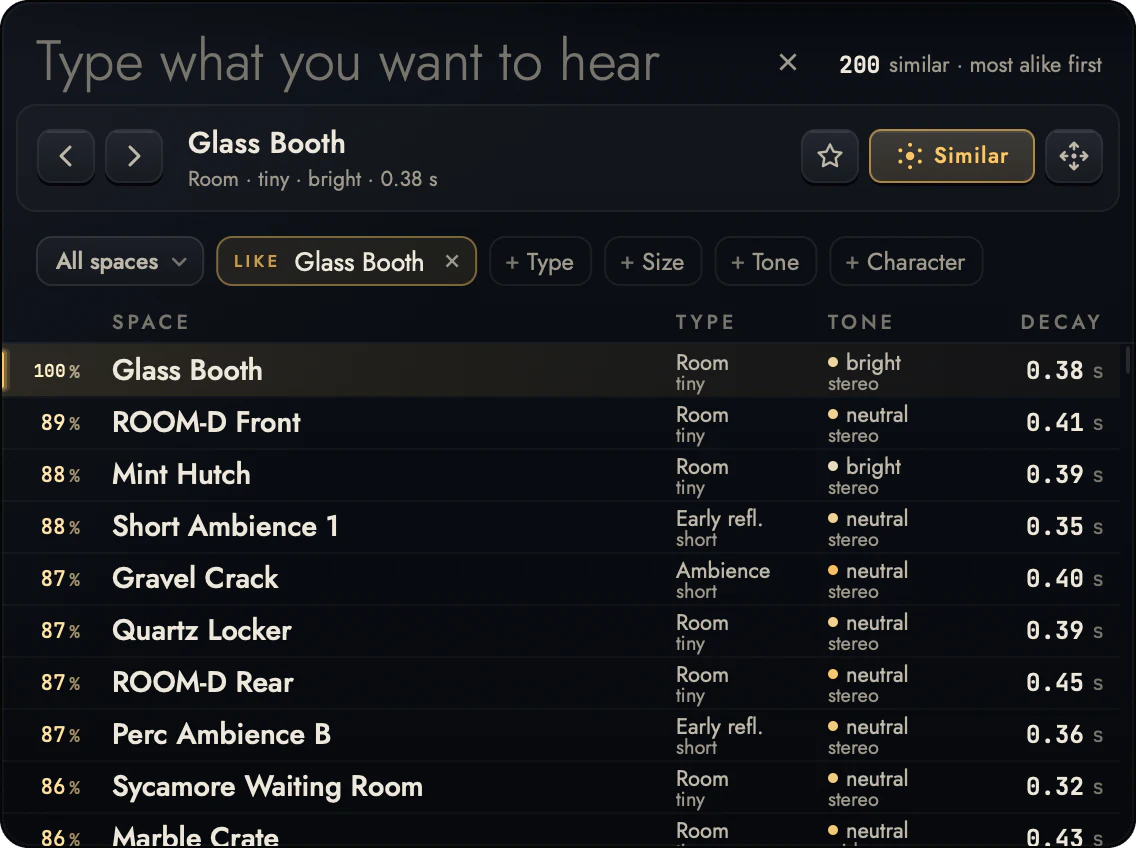
When a space is close to what you want, turn Similar on. The list changes to the spaces that sound most like it. A percentage beside each name says how alike the two are.

The map follows. Similar spaces stay bright and the rest dim. Some matches are neighbors. Others turn up in a different type.

The finder showing the spaces most similar to Glass Booth. Each row starts with how alike it sounds, from 89 percent down, followed by its name, type, tone and decay time.

Nearby

One step in the direction you need.

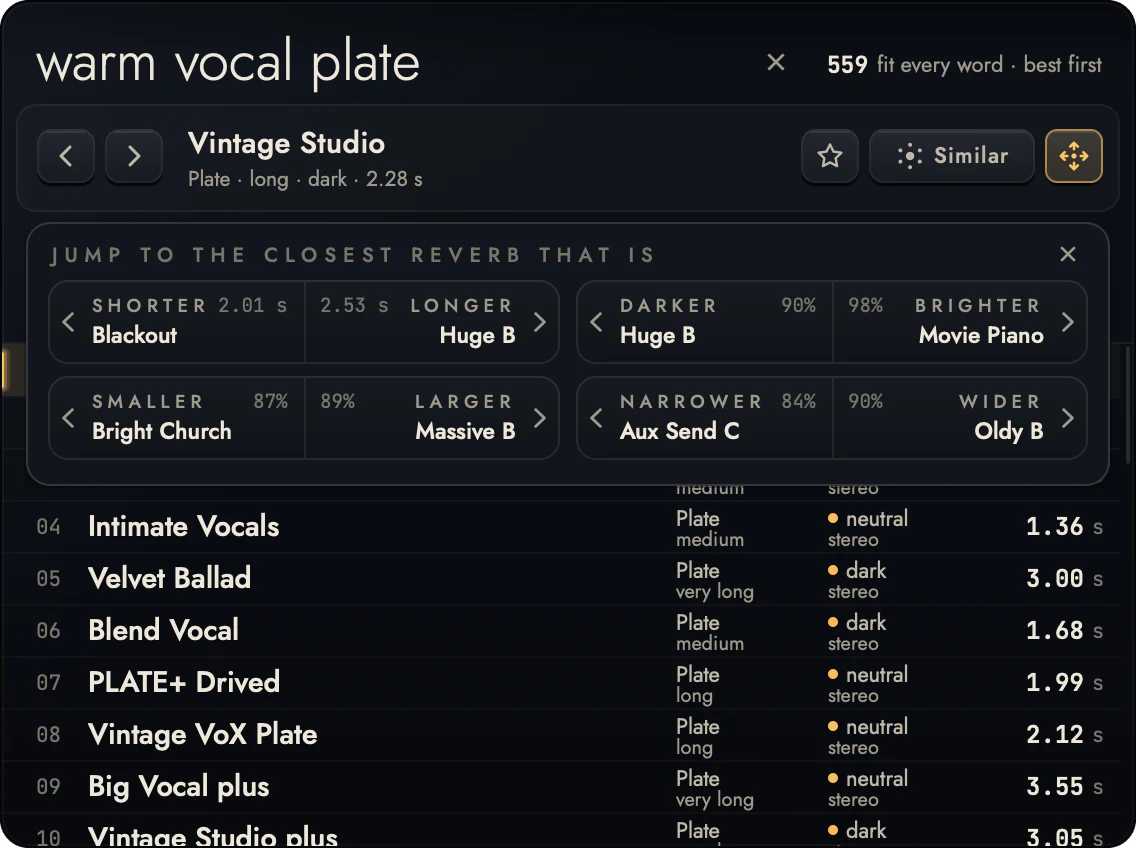
Sometimes the space is right and one thing about it is wrong. Nearby opens eight keys. Each key jumps to the closest other space that is shorter or longer, darker or brighter, smaller or larger, narrower or wider.

Nearby changes the space only. Your decay, EQ and mix settings stay as you set them.

The Nearby keys open in the finder under the space Vintage Studio. Eight keys each name the closest other space in one direction: shorter, longer, darker, brighter, smaller, larger, narrower and wider.

While the song plays

Listen to the list without leaving the keyboard.

  1. Type and press Return

    The list fills with the matching spaces, best match at the top.

  2. Step with the arrow keys

    The up and down arrows move through the list. Each space you land on plays on your track, at the same loudness as the one before.

  3. Keep the ones you like

    A star marks a favorite. Favorites, recent spaces and your own presets are one click away.

Ten thousand spaces in one plug-in.

All 10,000 spaces and every feature on this site are included.

Black Friday sale.