Skip to content
PantheusSpaceSynthesisReverb

Immersive Audio

The same spaces, all around you.

Put Pantheus on a 5.1, 7.1 or Atmos 7.1.2 track. Any of its 10,000 spaces plays through the speakers around you and above you. The map becomes a room. Mix the reverb by moving the speakers in it.

  • 5.1
  • 7.1
  • Atmos 7.1.2
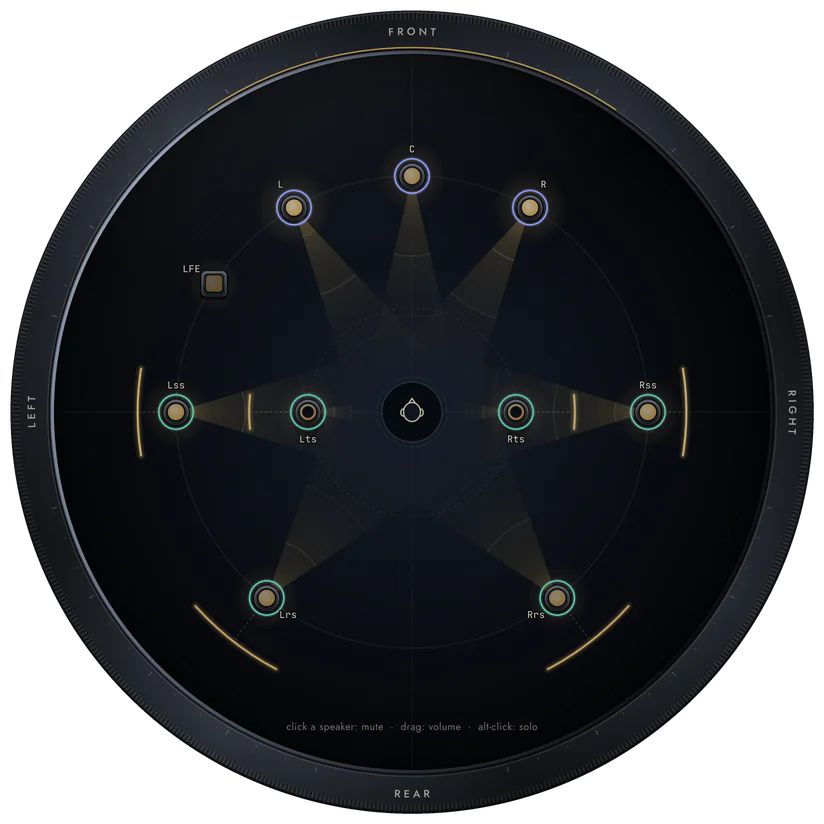
The Immersive Audio page of Pantheus on an Atmos 7.1.2 track. Speakers stand in a round room around the listener: left, center and right in front, side and rear speakers around, and two top speakers above. Gold arcs show how far the space reaches.

The room

Mix the reverb where the speakers stand.

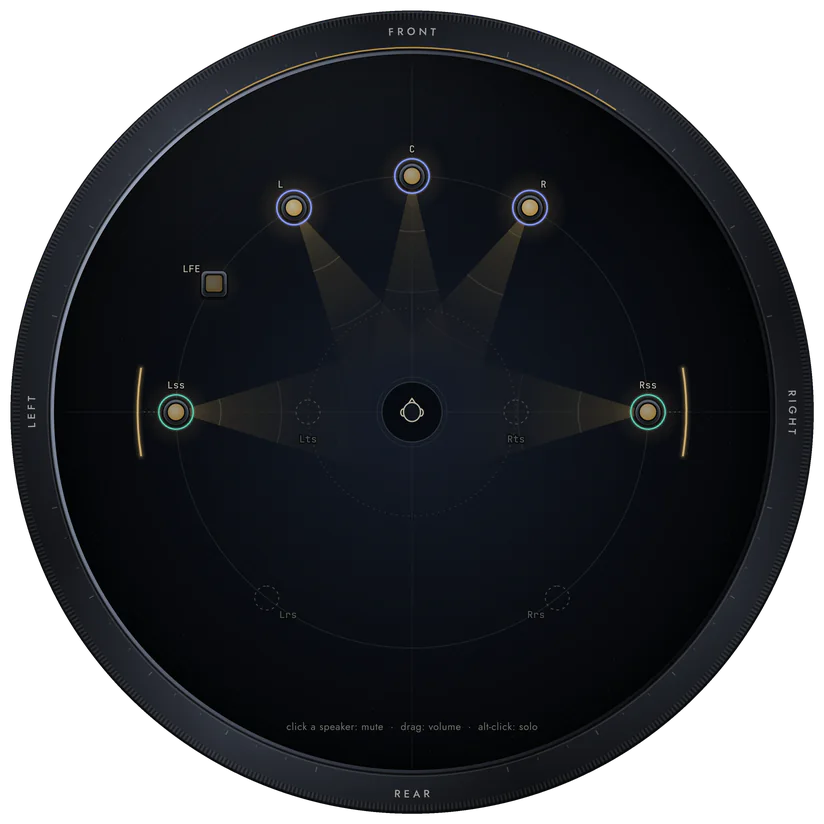
The room shows every speaker of the track's format in its place, with the listener at the center. Drag a speaker to set its volume. Click it to mute it. Option-click it (Alt-click on Windows) to solo it.

The room and the mixer beside it are two views of the same settings. A change in one shows in the other.
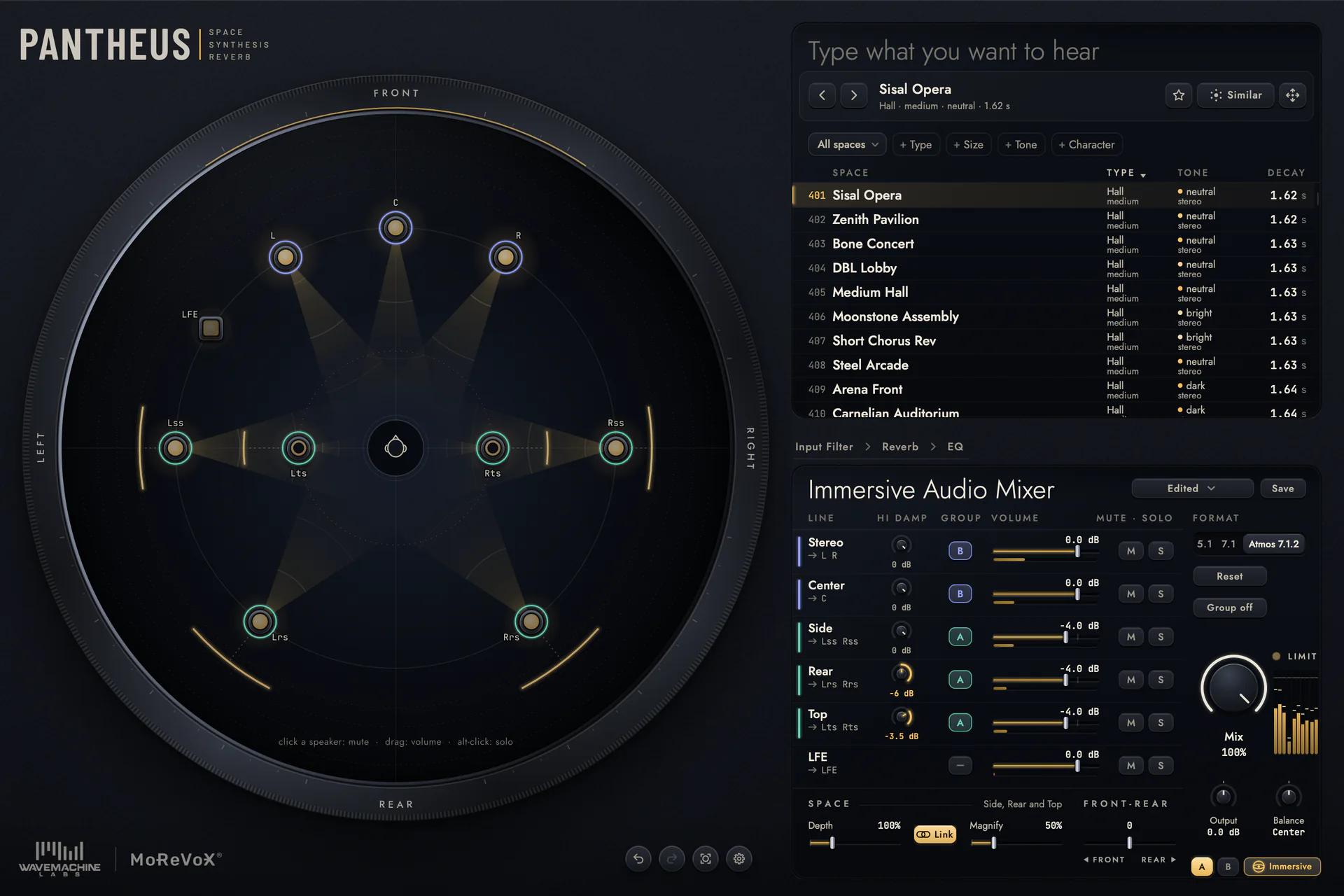
The whole Pantheus window on an Atmos 7.1.2 track. The room with its speakers is on the left, and on the right are the list of spaces and the Immersive Audio Mixer with a row for each group of speakers.

The mixer

Six rows for the whole room.

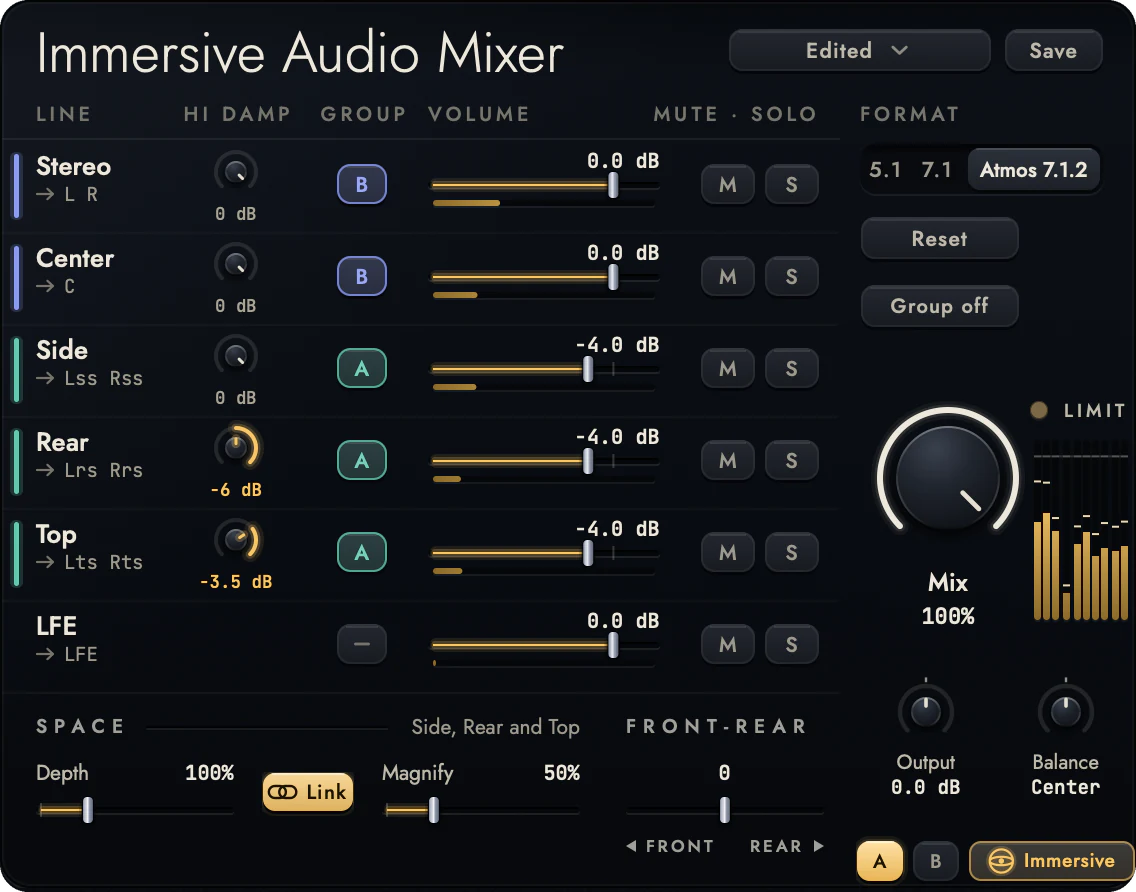
The Immersive Audio Mixer has a row for each group of speakers: Stereo, Center, Side, Rear, Top and LFE. Every row has a volume with a meter, a mute and a solo. Hi Damp softens the top end of every row but the LFE.

Rows can be grouped. Move one volume in a group and the others follow. Group off sets the groups aside for a single change.

The Front-rear fader leans the whole reverb toward the front speakers or toward the rear ones.

The Immersive Audio Mixer. Six rows, for Stereo, Center, Side, Rear, Top and LFE, each have a group key, a volume slider with a meter, and Mute and Solo keys. Every row but the LFE has a Hi Damp dial. Under them are the Depth and Magnify sliders with a Link key between them and the Front-rear fader beside them. At the right are the format keys 5.1, 7.1 and Atmos 7.1.2, with Reset and Group off under them.

Depth and Magnify

Two sliders shape the space around you.

Depth and Magnify shape how far the space reaches around you. The gold arcs in the room follow them. Link moves the two together.

Five presets by MoReVoX come with the mixer: Front Stage, Wraparound, Tall Space, Clean Center and Cinematic. Save the room as a preset of your own when it sounds right.

Presets work in every format. One made on an Atmos 7.1.2 track loads on a 5.1 track.

The room of the Immersive Audio page on a 5.1 track: three speakers in front, one at each side of the listener, and gold arcs showing how far the space reaches.

One library

Every space works in every format.

There is no separate immersive library to buy or learn. The halls, plates and rooms from your stereo mixes are the same ones here, with the same search and the same dials.

  • From mono or stereo

    Pantheus takes a mono or stereo source on an immersive track and spreads its reverb around the room.

  • One click away

    The Immersive key beside the meters opens the room and the mixer. Press it again to return to the map.

  • The finder stays

    The search and the list stay in view on the Immersive page. Change the space while you mix it.

  • In stereo, nothing changes

    On a mono or stereo track, Pantheus is the stereo reverb the rest of this site describes.

Ten thousand spaces in one plug-in.

All 10,000 spaces and every feature on this site are included.

Black Friday sale.