Skip to content
PantheusSpaceSynthesisReverb

Listen

Let Pantheus hear the track.

Press Listen and play a few seconds of the part you are working on. Pantheus names what it heard. The list narrows to the spaces made for that sound.

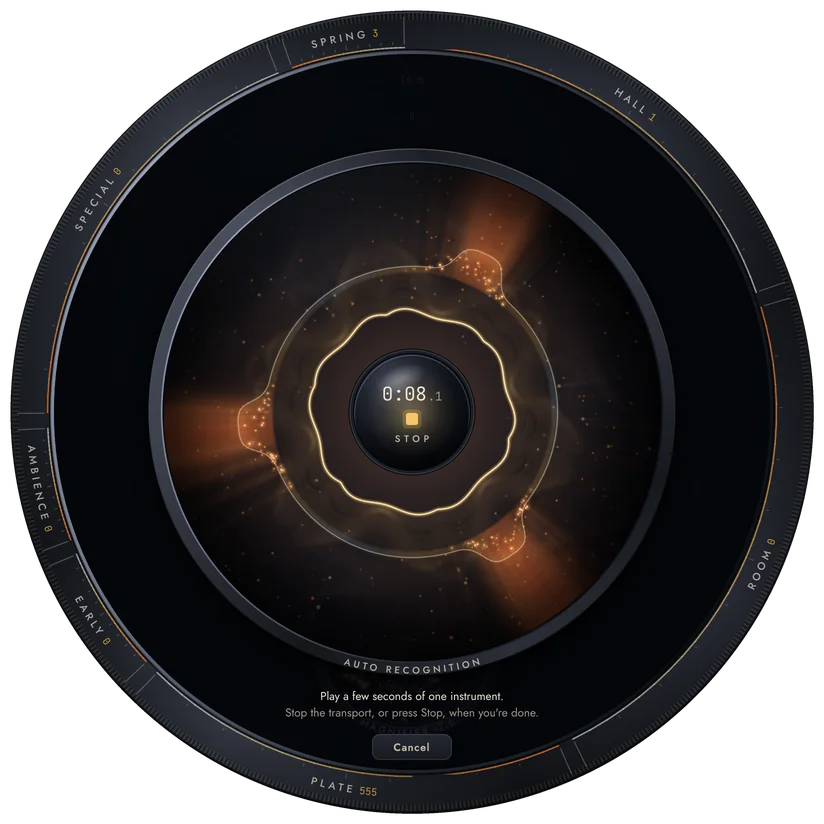
The star map while Pantheus listens. The stars have given way to rings of light around a timer at the center that reads eight seconds, with a Stop key under it. Below, the words Auto Recognition and the line: play a few seconds of one instrument.

How it goes

A few seconds are enough.

  1. Press Listen

    The Listen key sits at the center of the map. Press it. The map becomes a listening window with a timer.

  2. Play the part

    Play a few seconds of one instrument or voice. Stop the transport or press Stop when you have played enough.

  3. See the matches

    Pantheus names what it heard. The map and the list narrow to the spaces made for that sound, best match first.

You choose

Nothing loads until you choose.

Listening never loads a space and never changes a setting. It narrows the map and the list. You pick the space.

What it heard appears as a label under the search field. Click the label to pick another instrument. Remove the label to get the whole library back.
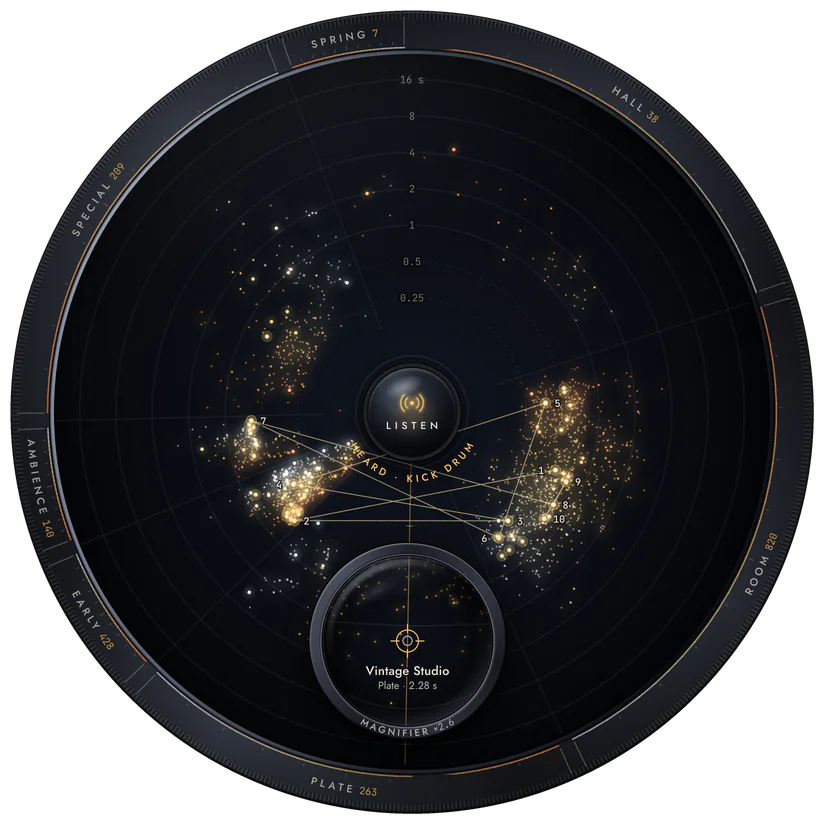
The star map after Pantheus heard a kick drum. The words Heard, Kick drum curve under the Listen key. Only the stars for a kick drum stay lit, most of them in two clusters left and right of the center, and thin lines join the ten best matches.

Then refine

Carry on from what it found.

The spaces Listen found are a list like any other. Add a type, a size or a tone. Type a word to search inside it. Turn Similar on when one of the spaces is close.

A part with a steady beat gives Pantheus the tempo too. The best spaces for the instrument stay at the top of the list. Those nearest in length to one beat come first.

More about asking
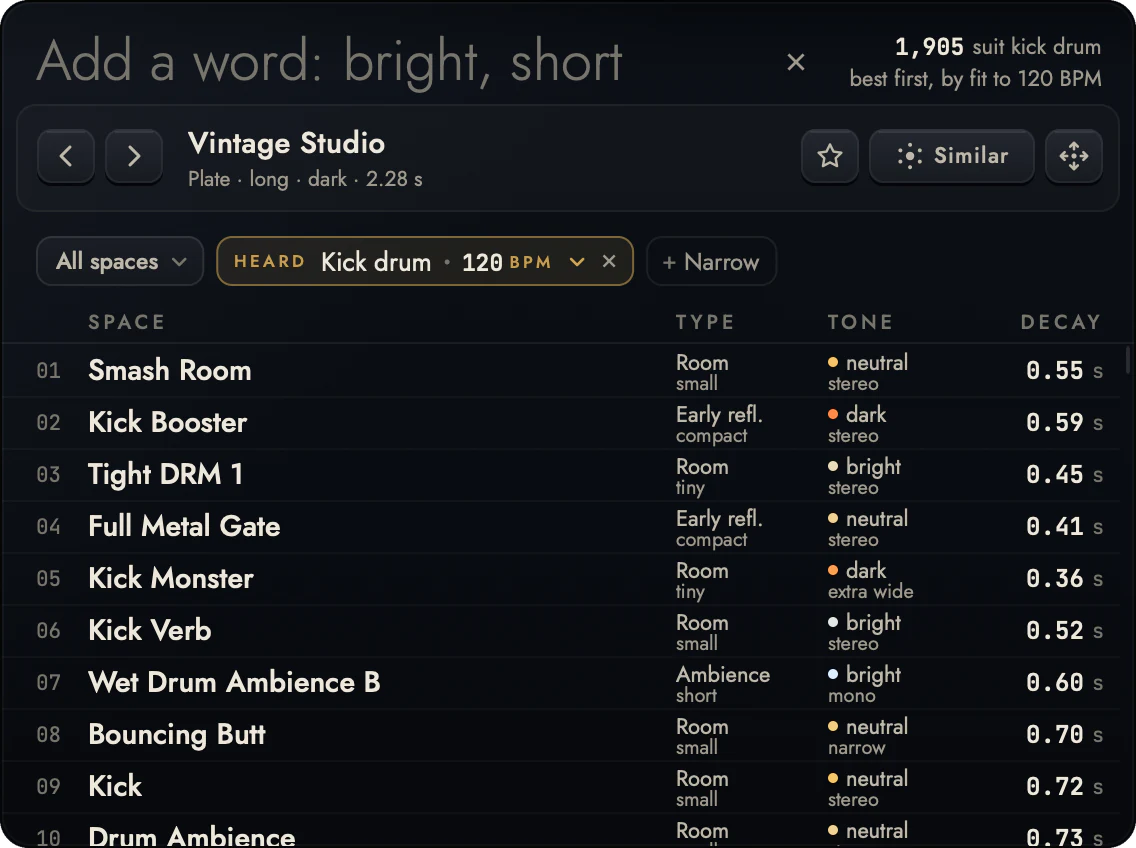
The finder after Pantheus listened to a track. A gold label reads Heard, Kick drum, 120 BPM. 1,905 spaces suit a kick drum, best first, by fit to 120 BPM. The list starts with Smash Room, Kick Booster and Tight DRM 1.

What it knows

Voices, drums and instruments by ear.

Listen tells apart the sounds a mix is made of. These are the ones it can name. Each has its own set of spaces.

  • Vocals
  • Choir
  • Rap vocal
  • Spoken voice
  • Kick drum
  • Snare drum
  • Toms
  • Cymbals
  • Drums
  • Percussion
  • Hand drums
  • Tambourine
  • Cowbell
  • Claps
  • Timpani
  • Mallets
  • Bass
  • Double bass
  • Electric guitar
  • Acoustic guitar
  • Harp
  • Piano
  • Electric piano
  • Organ
  • Harpsichord
  • Synth
  • Synth pad
  • Strings
  • Violin
  • Cello
  • Brass
  • Trumpet
  • Saxophone
  • Flute
  • Woodwinds

On your computer

Listen works inside the plug-in. Nothing you play is sent anywhere. Listen needs no internet connection.

In every format

Listen is in every plug-in format. It hears whatever the track sends to the plug-in.

Ten thousand spaces in one plug-in.

All 10,000 spaces and every feature on this site are included.

Black Friday sale.